First.new vs Lovable: which fits your business website?
Compare the website workflow, enquiries, domains, costs, and code handoff to decide which builder fits your next launch.
Short answer
Consider First.new if you want to build a business website through chat, point to changes with Design Mode, and use built-in services for enquiries, data, and media where available. Lovable has a documented route for GitHub handoff and custom root domains. Choose around the editing, publishing, and maintenance workflow you need, then test it with your own content.
First.new publishes this guide. We focus on a practical starting point: a consultant, studio, or service business that needs to explain its offer, show its work, and receive enquiries.
First.new vs Lovable at a glance
| What matters | First.new | Lovable |
|---|---|---|
| Building and editing | Chat and preview, plus element-selected edits through Design Mode. | Conversational building with hosted backend options. |
| Website enquiries | Built-in Forms inbox and CSV export where enabled; confirm live intake. | Cloud data storage and email options; configure and test the enquiry flow. |
| Publishing | Publish the current version to a shareable First address. | Publish to a hosted Lovable address. |
| Your own domain | Eligible owned subdomains, such as www.example.com; Pro or granted access and setup required. | Connect root domains or subdomains with a paid plan. |
| Backend services | Built-in auth, database, and files through First Cloud where enabled; own-Supabase connection is a separate option. | Lovable Cloud includes database, authentication, storage, and functions. |
| Code handoff | Customer-facing GitHub sync or code download not confirmed in this review. | GitHub sync on all plans; direct code download on paid plans. |
| Usage costs | Credits for building, Design Mode edits, workspace runtime, validation, and metered app services; Media Cloud uploads/delivery do not use credits. | Build and Run usage draw on a shared general balance; usage-specific grants can also apply. |
Start with the website you actually need
For a small business website, the everyday job is straightforward: describe the offer, review the page, change the copy or images, and publish when it is ready. First.new supports that chat, preview, and publish workflow. It also has controls for previewing earlier versions and restoring an eligible version as your current draft.
Take an independent design studio. Its first release might need services, selected work, an about section, and a contact section. Start with those essentials, then ask for one specific revision, such as making the main service clearer or replacing a project image.
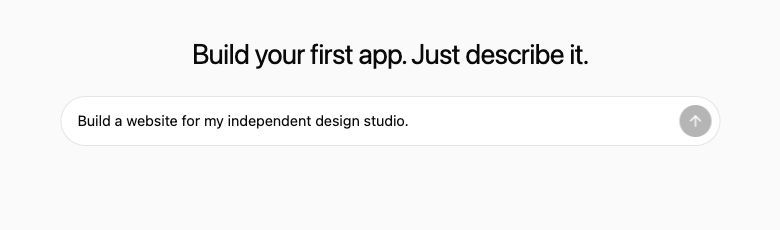
After the first version, change a service description, inspect the mobile layout, and open the published URL. If you use a form, submit a test enquiry and find it at its intended destination. This gives you a concrete way to evaluate each builder with your own content.
Before comparing builders, use our guide to plan the pages your business website needs.
Point to the change with Design Mode
First.new’s Design Mode lets you select an element in the preview and describe the change there. For a service website, try selecting a service heading and asking for clearer wording, then selecting a project image and replacing it from the media library. Image generation is also available for supported selections when enabled. These edits use AI and credits; selecting an element is not a promise that every change will work on the first attempt.
After the edit, check the selected element, nearby content, and the mobile layout. Version history lets you preview earlier work and restore an eligible version as the current draft. Check what a restore changes before using it; do not assume it also restores stored enquiries or database records.
Enquiries: decide where each message should go
First.new includes a Forms inbox where enabled. It separates preview submissions from live submissions and supports CSV export, so you can review and take a copy of the enquiries collected through it. The inbox and live form intake have separate availability controls. Confirm both for your account before depending on them, and test any email notification setup separately.
Lovable Cloud provides a database, authentication, storage, and backend functions, with email options for supported workflows. That makes it worth considering if the website also needs customer accounts or application data. Your form still needs a configured destination and a successful test submission.
First.new offers First Cloud, a managed backend option where enabled, without requiring your own Supabase account. A supported connection to your own Supabase account is a separate option. Confirm availability and test each data, sign-in, file, realtime, or function workflow you need; this review has not verified the production rollout or every service end to end.
Use the built-in services your website needs
First.new has built-in authentication, a database, and application file storage through First Cloud, alongside Forms and website analytics. The managed backend does not require your own Supabase account. Availability depends on the services enabled for your app. For public service pages, you may need only a contact route; add accounts or saved records when they serve a real task.
Built-in Media Cloud handles uploaded images and video, with a media library, optimization, and CDN delivery. Uploads and delivery do not use credits under the current policy. This is separate from AI image generation and general backend usage. For a portfolio or business site, try uploading a real project photo and placing it on the page.
First AI for your apps is different from the AI that builds the website. Where enabled, it supports text and image generation inside the app you create, such as a visitor-facing writing assistant. Those requests consume credits. Test the feature, its usage, and its failure behavior before offering it to visitors.
Website analytics can show visits, page loads, top pages, countries, and devices for a published app when configured. Use that to understand traffic after launch. It is not a verified conversion-funnel, session-replay, or A/B-testing product.
Publishing: check the exact address you want
First.new lets you publish your current version to a shareable First address and publish again when updates are ready. With eligible access and setup, you can connect an owned subdomain such as www.example.com. This requires Pro or separately granted access. Root domains such as example.com and automatic DNS setup are not currently supported.
Lovable supports both root domains and subdomains. Connecting a new custom domain requires a paid plan and a published project. If using example.com directly is a launch requirement, that difference matters.
Developer handoff: Lovable has the clearer option
Lovable offers GitHub export and two-way sync on all plans, plus direct code download on paid plans. That gives a team a documented route to continue development outside the builder.
We have not confirmed an equivalent customer-facing GitHub sync or code download in First.new. If handing the project to a developer is a firm requirement, choose a tool with an available handoff workflow and try it before committing. Code handoff also needs a plan for any connected data and services.
Costs: compare one launch and one update
First.new uses credits for building, Design Mode edits, workspace runtime, validation, and metered services in published apps. Check the regular price, any introductory renewal, the total annual bill, and when credits are issued. Unlimited apps does not mean unlimited credits or backend resources. Use the terms shown at checkout when deciding what you will pay. See First.new pricing.
Lovable reports Build and Run usage against a shared general credit balance, with usage-specific grants where applicable. Include ongoing usage and connected services in your estimate.
We have not established that either product is cheaper. A useful comparison covers the same initial website, one round of revisions, and the expected cost of keeping it available.
When to choose First.new
Consider First.new when your immediate goal is a business website and you want to work through a chat, preview, and publish flow. It is worth trying if your enquiry needs fit the Forms features available to your account, a First address or eligible subdomain works for launch, and code export is not a requirement.
For a practical starting brief and launch checklist, see the small business website guide.
When to choose Lovable
Consider Lovable when GitHub handoff or a custom root domain is central to the project. Its documented options give you a clearer basis for those requirements. For a site with customer accounts or application data, compare the backend services available to you in both products. Evaluate the finished page, the editing experience, and the complete enquiry flow with your own brief.
Try one brief before choosing
Use your real services and a few real images. Build a first version, make one meaningful change, and check how someone would contact you. Start your website in First.new.
Still deciding which tools belong on your shortlist? Read our Lovable alternatives guide.
Frequently asked questions
- Is First.new better than Lovable for a business website?
- There is no tested overall winner in this comparison. Consider First.new for its chat, preview, and publish workflow, subject to the domain and Forms availability your project needs. Lovable has documented options for GitHub sync and custom root domains. Both offer backend options.
- Can I use my own domain with First.new?
- Eligible accounts can connect an owned subdomain such as www.example.com after setup. Pro or separately granted access is required. Root domains such as example.com are not currently supported.
- Can First.new collect website enquiries?
- First.new has a Forms inbox with separate preview and live submissions and CSV export where enabled. Confirm live intake is available for your account and send a test submission before using it for customer enquiries. Email notifications need their own setup and verification.
- Can I export my First.new project to GitHub?
- Customer-facing GitHub sync or code download was not confirmed in this review. Signing in with GitHub does not establish project sync. Lovable documents GitHub sync on all plans and direct code download on paid plans.
- Is First.new cheaper than Lovable?
- We have not measured an equivalent project in both products. Compare current plans, build and revision usage, running costs, and connected services before deciding.